Articy Extension plugin for Unreal Engine
articy:draft 3 is a standalone dialogue and content management program with exporting capabilities. Using the official articy importer plugin for Unreal Engine lets the user import defined data types and dialogue. While it features an impressive list of features, it falls short on some aspects of in-engine usability, configuration of runtime dialogue elements such as events, animations and camera settings was lacking.
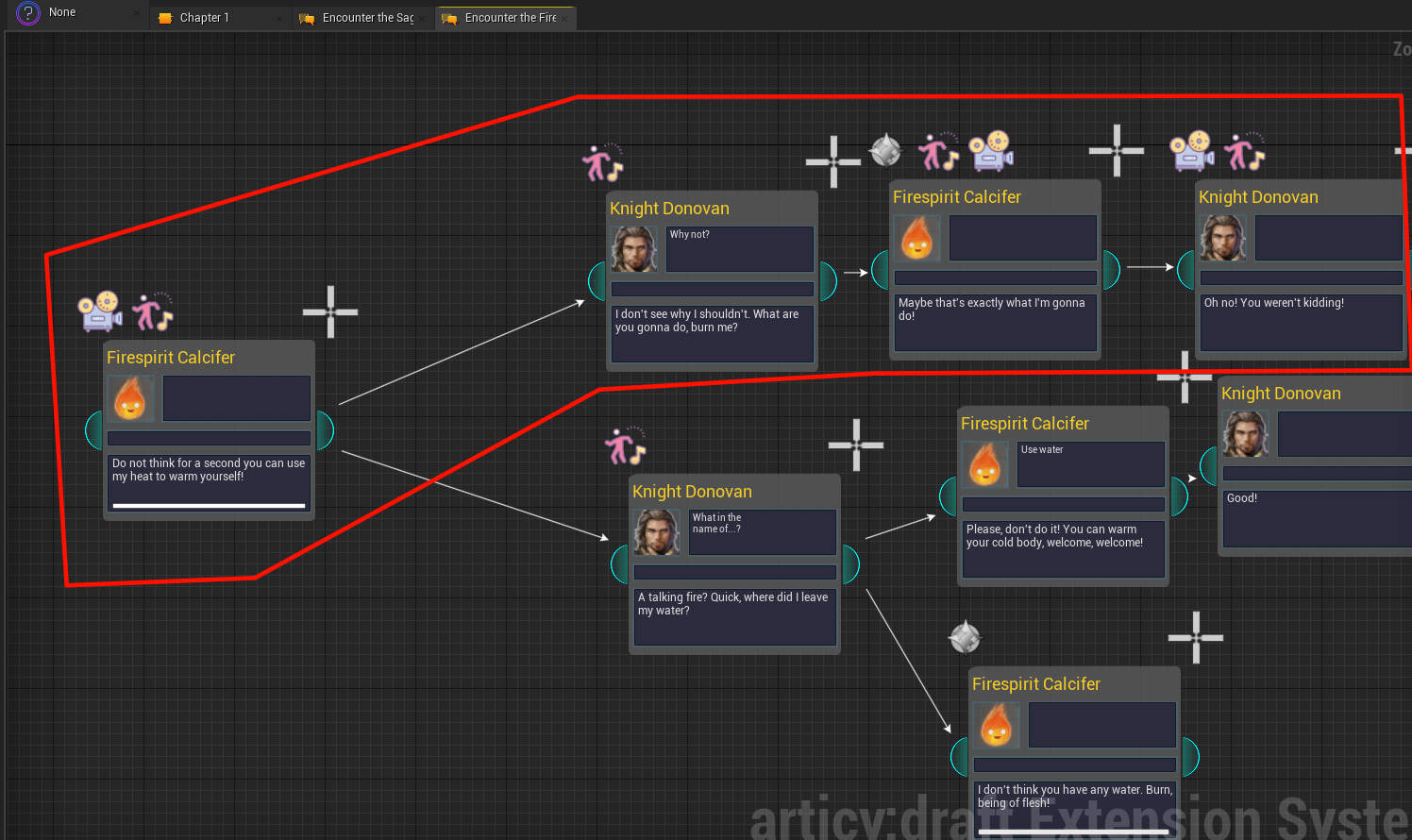
Functionality
The goal of the plugin was to use the official importer as its core, and wrap around it to add new workflow options. It boils down to the following features.
Dialogue graph recreation inside Unreal
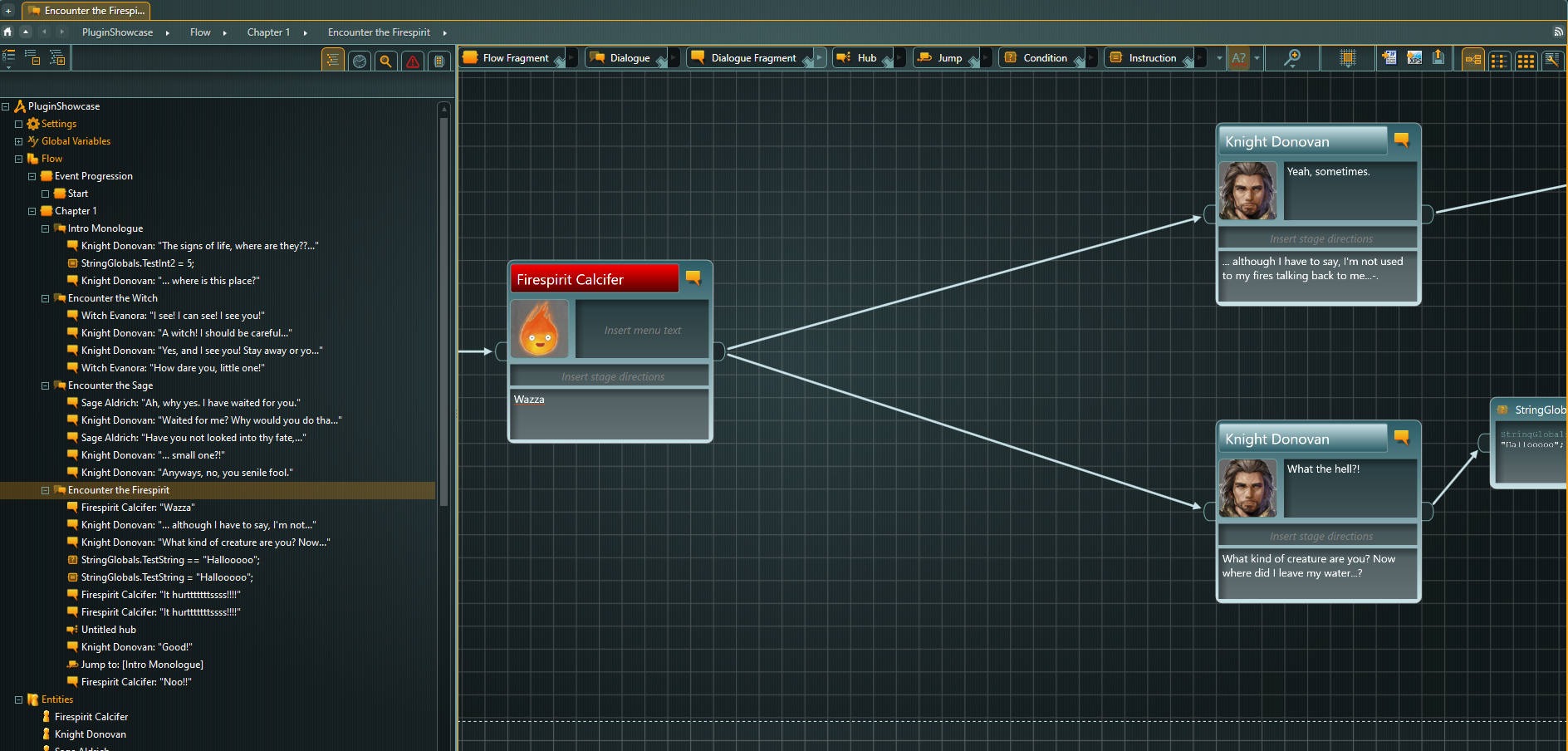
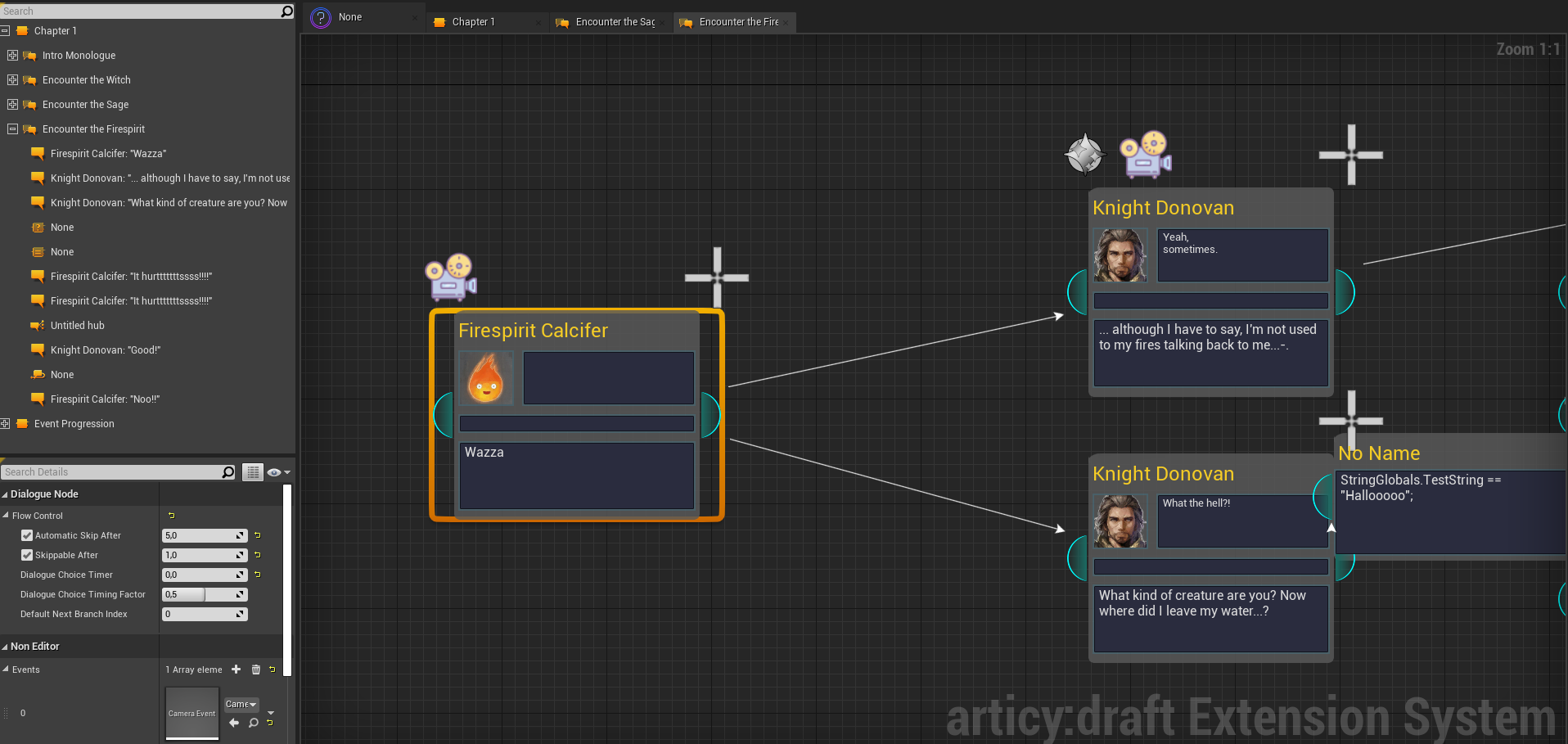
All graphs created inside articy:draft 3 are automatically generated within Unreal Engine. This allows us to supercharge dialogue nodes with engine functionality and additional data associated with the original articy element via its unique articy ID.
- Rather than a typical “one dialogue per asset” approach, here we have a centralized database of all dialogue. The search function makes it easy to look for dialogue containing specific words or characters.
- Hierarchy analysis between imports ensures that moved data does not get lost.
- Extension data works on a per-asset basis to support source control with an ownership concept, such as Perforce. Multiple people can work on different parts of the dialogue database at once.
- Tab support to have multiple dialogue options open at once, with back & forth navigation.
Per-node extension data
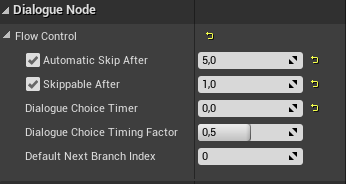
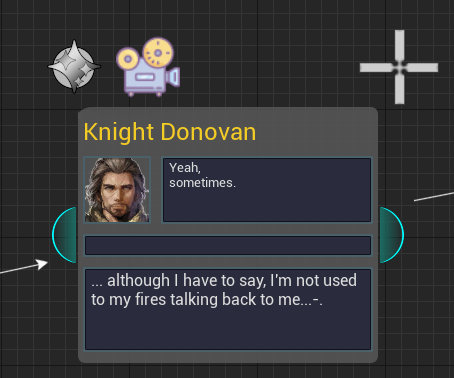
Every node receives an extension data asset once modified. This includes options often used across games, skip timers, automatic skip timers, as well as an extendable set of dialogue events. This allows the user to define data relating to dialogue mechanics right inside Unreal Engine.
Extendable dialogue events
The extendable event system allows the user to define their own event blueprints with start, tick, and end functions that can be overridden. Whether it’s spawning particles, setting cameras, or any other logic a game requires, it can be implemented and reused.
In the above example, we check the event data on a node and trigger the matching gameplay logic at the right moment in the conversation.
This workflow is already a lot quicker than addressing specific articy objects by ID, and it keeps the game logic where engineers expect it, in the engine.
To improve from there, drag & drop as well as copy & paste of events is supported. If a particle event isn’t quite right on a particular dialogue line, we can simply move it without using the keyboard at all.
Character-Actor Mapping
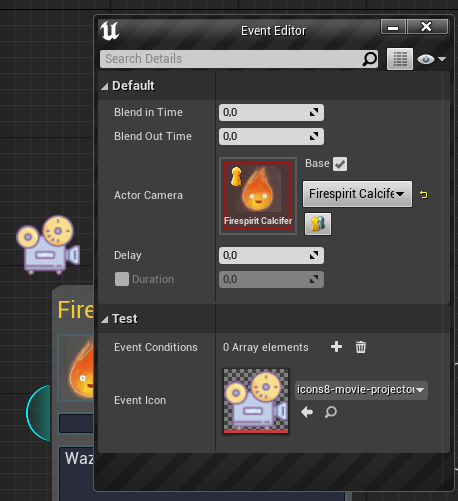
When choosing an actor camera, we aren’t actually choosing a camera nor an actor, we select a character defined inside articy:draft 3. But Unreal Engine has no understanding of what the “character” represents in the game. This is where the character-actor mapping comes in.
Any actor that uses a specific component with a character property will register under that character identity with a subsystem. This subsystem can be asked for any actor registered under any character ID. This indirection allows us to define game content while ignoring the technical aspects.
A visual display lets you take a look at the current mapping at runtime, which makes debugging straightforward.
Example dialogue scene created with the Articy Extension
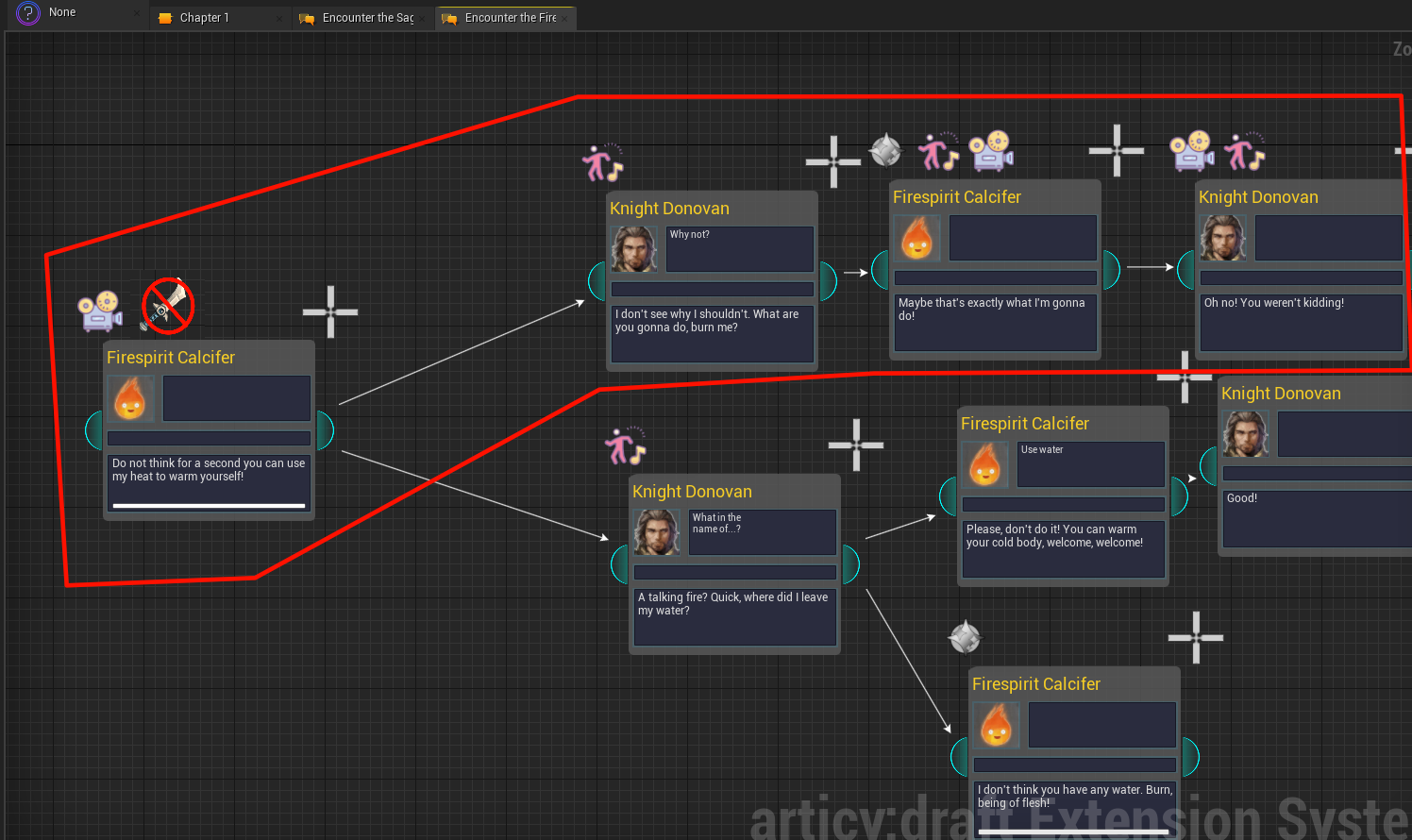
It’s still a WIP and began as my bachelor’s thesis, so naturally UI, features, UX and polish aren’t done, but it already combines articy’s solid dialogue traversal with the full power of the engine.