Edgy Bone Tools, Blender plugin for bone manipulation
Edgy Bone Tools is a Blender plugin currently only supporting Blender 2.8.X. Since Blender’s native bone tools are sparse and the workflow in conjunction with Unreal Engine isn’t well explored, I decided to write my own tool to assist me in tweaking different assets to maintain compatibility with standards established by Epic Games.
Its feature set consists of the following:
Armature Editing
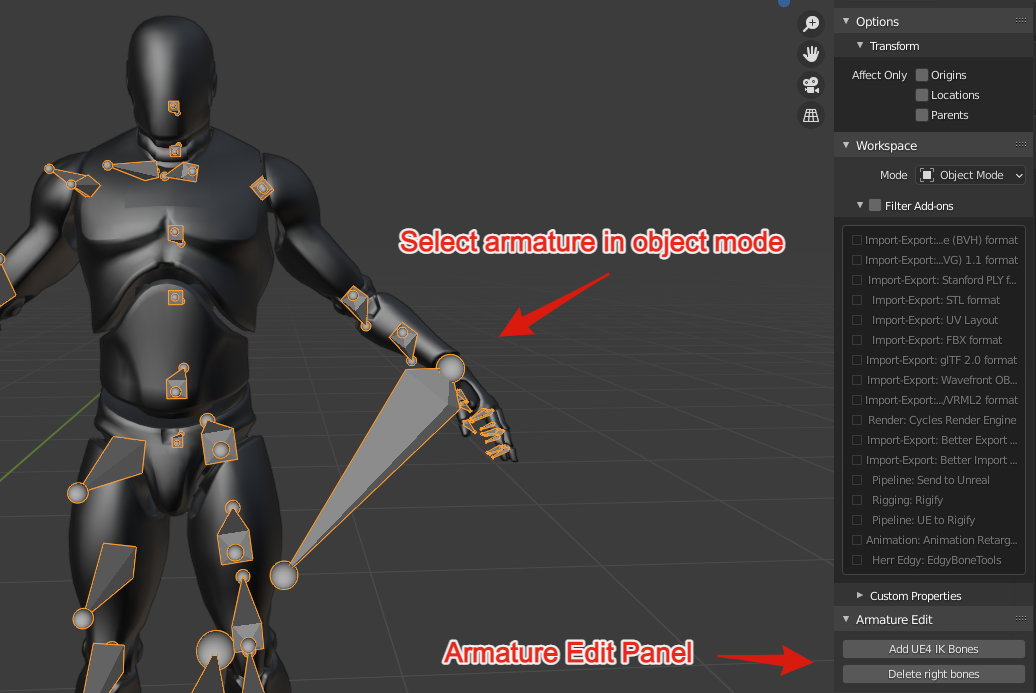
The armature editing tools are available only when selecting a single armature in object mode.
- Add UE4 IK bones in the correct hierarchy, set up for you. Provided the bone names are as expected from the default Unreal Engine mannequin skeleton, the IK bones will be positioned correctly.
- Delete all right-side bones. This is useful when you need to tweak the mannequin’s skeleton for a character with slightly different proportions. After editing is done, you can use Blender’s mirror tool to automatically recreate the missing bones.
Armature Transfer
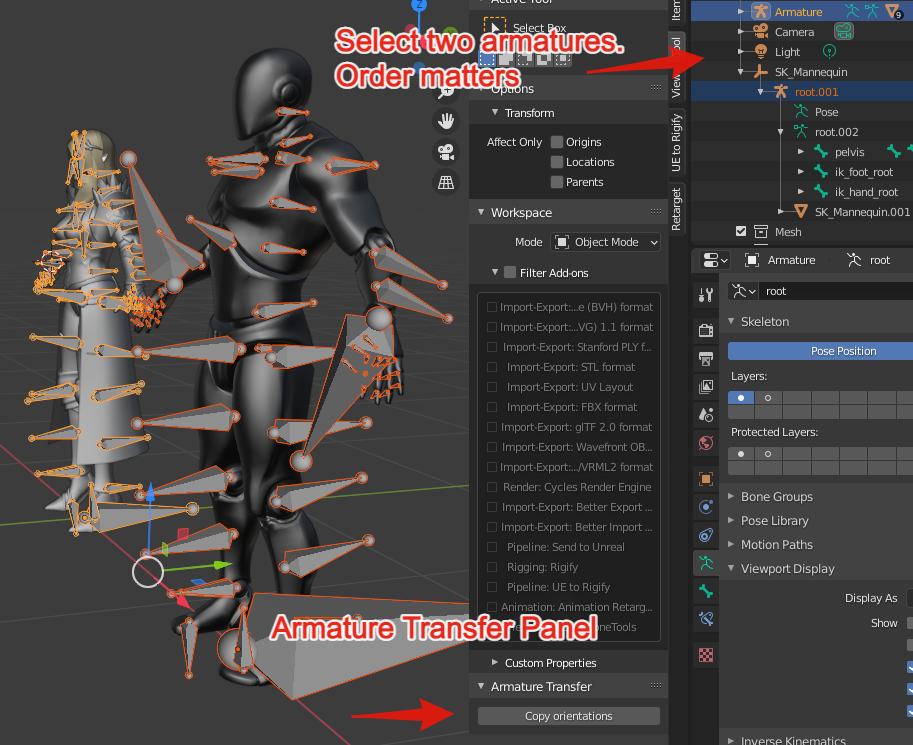
The Armature Transfer panel is available only when selecting two armatures in object mode.
- Copy rotations from one armature to another. Since the way bones are displayed between Maya (where the mannequin is made) and Blender differs, the mannequin skeleton looks very off in Blender. Fixing up the bone rotations will make the skeleton look correct inside Blender, but also change the bones’ rotations. When animation assets are supposed to be shared inside Unreal Engine (contrary to retargeted), the rotations have to be the same.
Per-Bone Editing
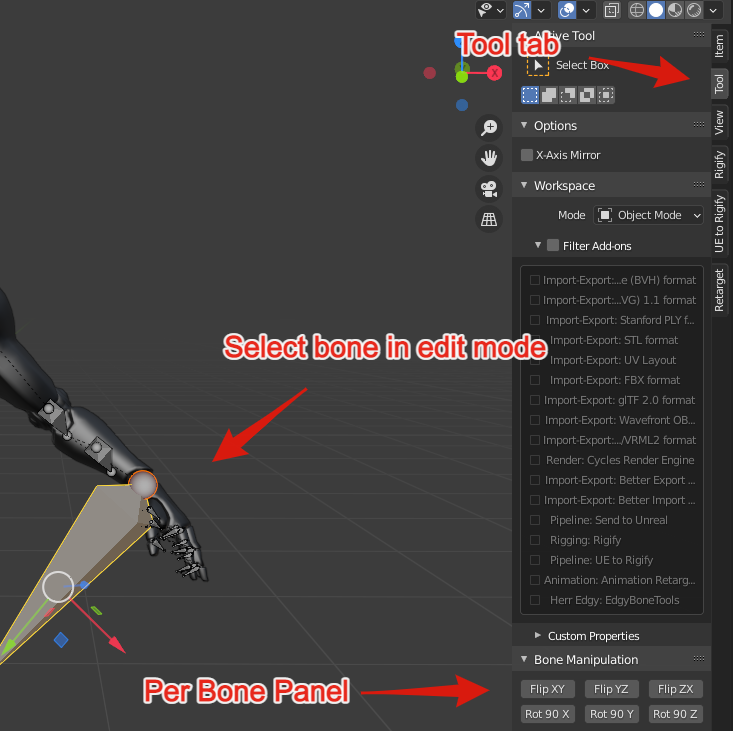
The per-bone editing tools are available when selecting a bone in edit mode.
- Flip operators flip the selected bones on any axis-aligned plane.
- Rotation operators allow you to rotate selected bones 90° per click.
These operators can be used to easily change bone orientations to whatever is needed.
The plugin is available here: github.com/herr-edgy/EdgyBoneTools.
When working with animations made for the Unreal Engine mannequin and its skeleton, Blender has its fair share of problems. This is because the mannequin was made with Maya, and joint orientations can be set to anything the user wants, while the display mode simply connects parent with child joints. In Blender, actual bones exist with a start and end point, and bones always point towards Y+. When importing the mannequin, end points therefore point in the wrong direction, which makes the skeleton look off.
Wanting a modular animation system in which characters and animations can be freely swapped inspired me to research more about animation systems and the underlying technology. Interestingly, these issues seem to not be well-known online, which leads me to believe that animation retargeting is more often used than animation sharing in the Unreal-Blender community.