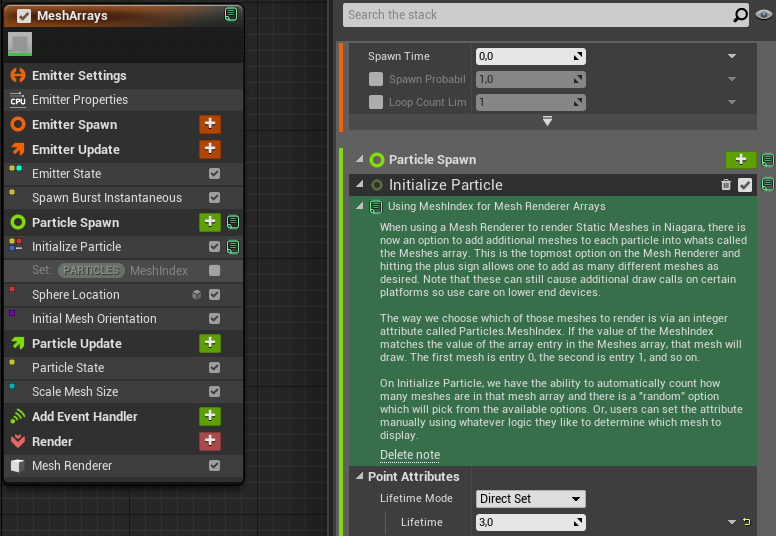
Note feature for Niagara
Almost every row in a Niagara stack can now carry a note, a free-form, colored annotation that explains what a module, input or value is doing, right where it lives. This is the current, much-expanded version of the feature; the original (at the very bottom) was far more limited.
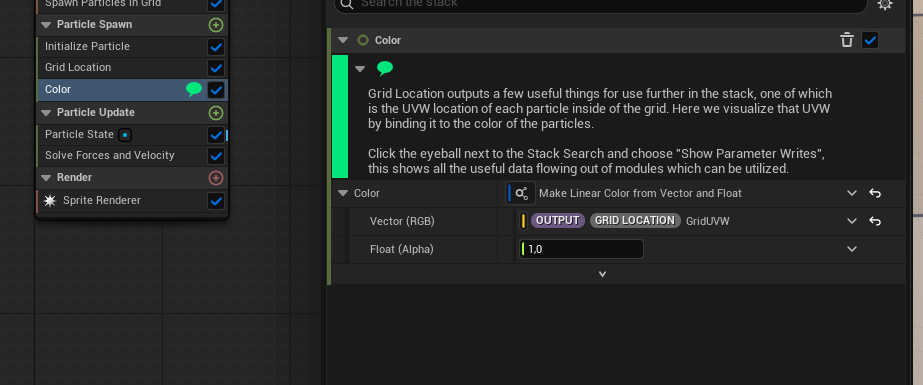
Notes on (almost) any row
In the original system, notes could only be attached to modules. Now you can annotate almost any row in the stack, including individual inputs, so you can comment exactly the thing that needs explaining instead of the whole module.
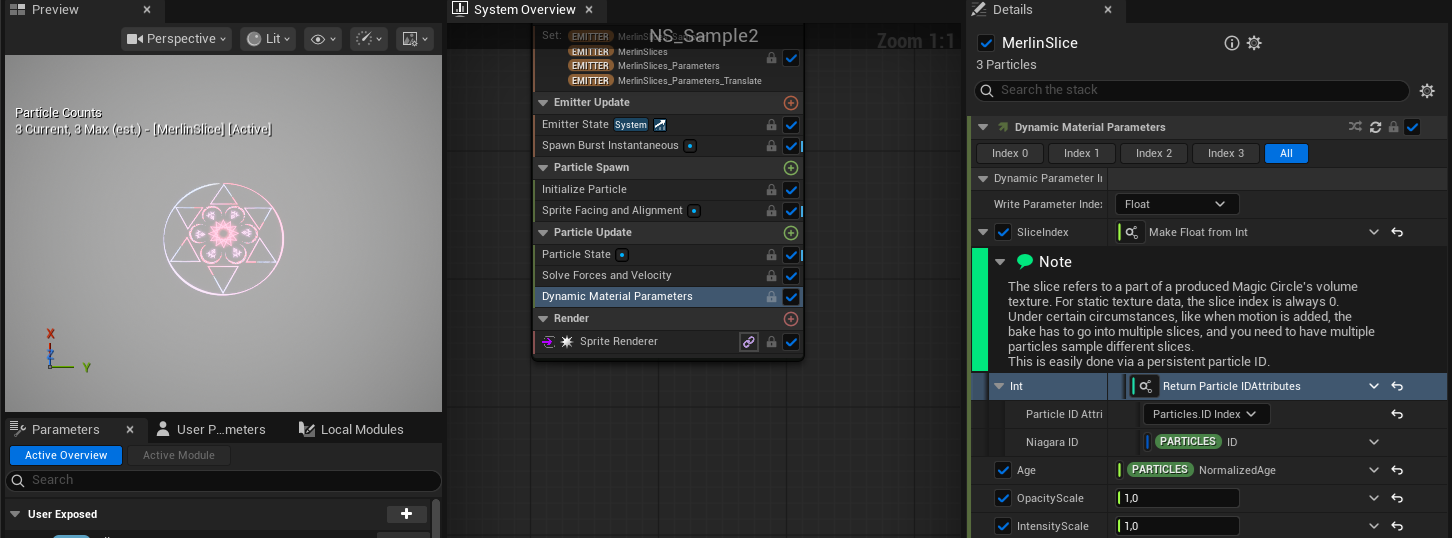
Collapse, hover, expand
Notes can be toggled inline. Clicking the note icon collapses the note into the row it annotates, it becomes a small icon you can hover over to read the text in a tooltip. Click it again and the full, editable note expands back into place. That makes it effortless to switch between a clean, minimal view and the full text whenever you need it.
A signal in the overview
Modules that carry a note also show a note icon in the overview graph, so at a glance you can see that there’s something noteworthy here. It’s a small touch, but it steers attention, flagging the modules with a special quirk or an important detail worth reading.
Colors, synced everywhere
Notes can also be recolored to group or prioritize them. Every change, the text, the collapsed or expanded state, and the color, stays synchronized across every place the note appears: the stack, the overview and the tooltip.
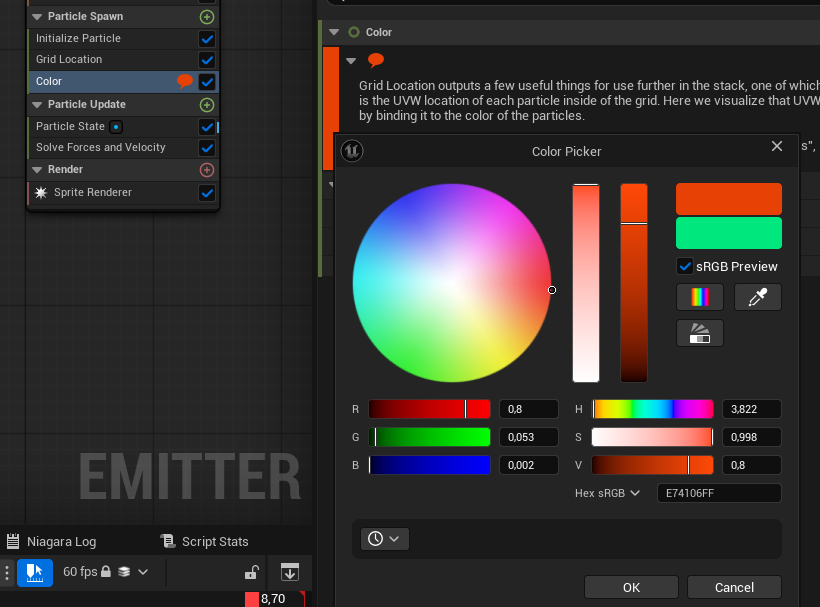
Origins
I originally built the note feature for Niagara back in Unreal Engine 4.27. Back then it was limited to notes on modules only, useful, but narrow. The version above is the considerably expanded successor I’ve improved since: notes on almost any row, inline collapsing, an overview signal and color.