User Asset Tags
User Asset Tags let anyone attach their own labels to assets right inside the editor, no code, no config files to hand-edit. At heart it is a general, asset-agnostic system for putting arbitrary strings onto any asset and then filtering by them. It is also the system that provides the tag filters for the Tagged Asset Browser, but the two are fundamentally separate: tags are a metadata layer that stands on its own, and the browser is just one of the things that can consume them.
Managing tags
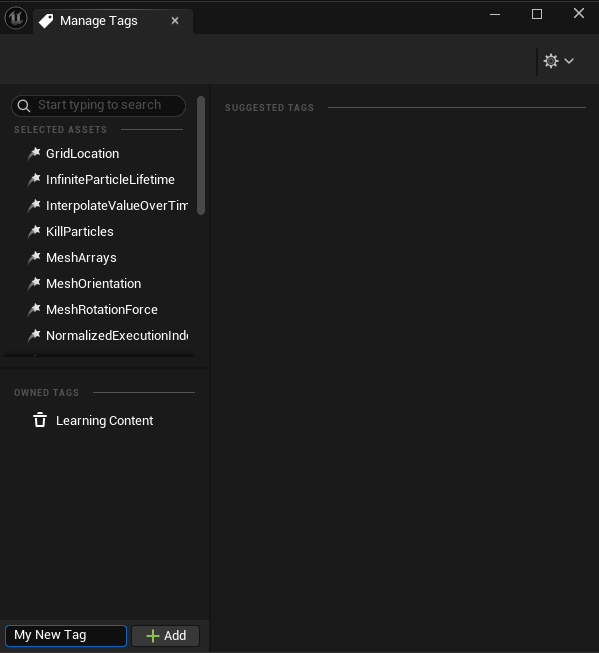
Tags are managed from a dedicated Manage Tags window. It lists the currently selected assets, the tags they already own, and lets you apply or remove tags for the whole selection at once. You can type any name to create a brand new tag, or, when tags are suggested, simply tick a checkbox to add or remove one without typing at all.
Suggestions and favorites
To save you from writing the same tags over and over, there is an extensible suggestion system. Depending on the kind of asset or the current selection, it proposes relevant tags that you can apply with a single click. The set of suggestions is extensible, so teams can teach it the tags that matter to them. A favorites system rounds this out, keeping the tags you reach for most always within easy reach.
Right where you work
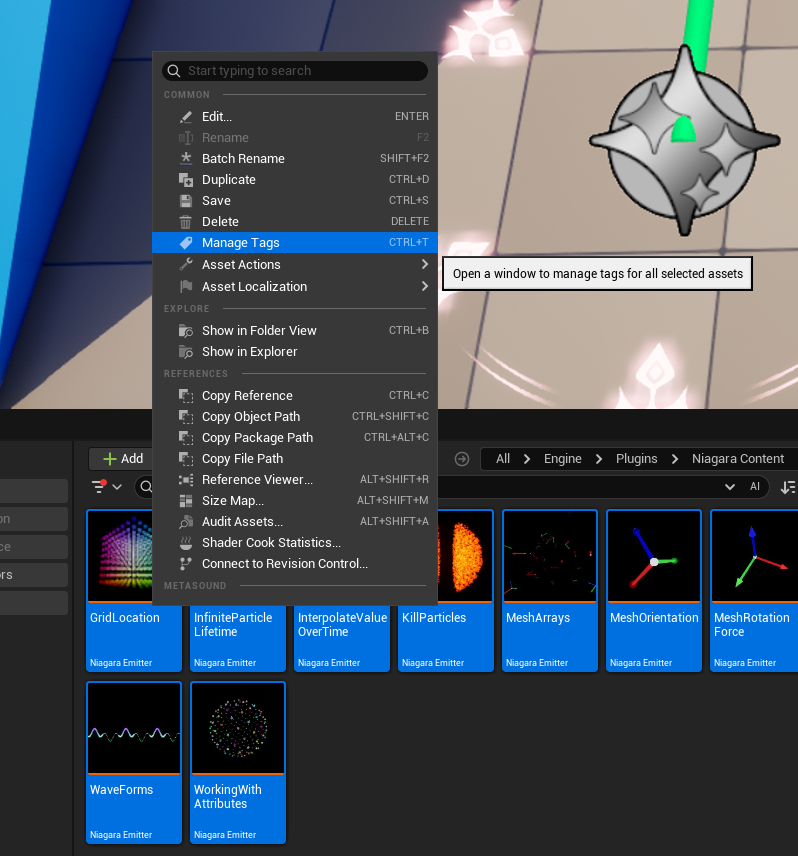
There is no separate tool to hunt for: select one or more assets in the content browser, right-click, and choose Manage Tags to open the window for the whole selection at once.
Stored on the asset, searchable even when unloaded
Each asset’s tags live on the asset itself, in its FMetaData, which is what makes the system available to every asset type in the engine without any per-type work. Reading FMetaData, however, requires the asset to be loaded, so to make tags useful for filtering large libraries the tags are also baked into the Asset Registry. That means you can search and filter by them without loading a single asset.
Because the tags live both on the asset and in the registry, anything that can read them, the search bar, asset filters, or the Tagged Asset Browser, can use them to organize content exactly the way each team needs. The result is an asset-agnostic way to slice your content, with the browser sitting on top as one consumer rather than the system itself.